HOA Owner Portal: A Smarter Way to Streamline Payments, Requests, and Community Access

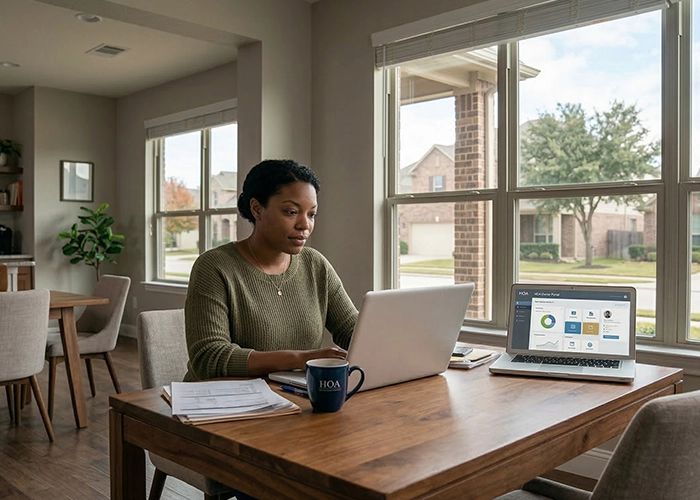
An HOA owner portal has become one of the most valuable tools for modern community associations. It gives homeowners instant access to essential information, payments, and communication tools in one convenient place. When used properly, it can make everyday HOA interactions faster, easier, and far more transparent for everyone involved.

How an HOA Owner Portal Improves Community Communication

Communication is often one of the biggest challenges in any homeowners association. Residents want quick answers to questions, while board members need efficient ways to share updates with the community. An HOA owner portal helps bridge that gap.

Instead of relying on scattered emails or printed notices, homeowners can log in to view announcements, updates, and important reminders. Community news becomes easier to distribute, and residents no longer have to wonder whether they missed an important notice.

Many portals also include messaging tools that allow homeowners to submit questions or concerns directly through the platform. This keeps communication organized and ensures that requests reach the appropriate person.

Over time, this type of structured communication helps build trust within the community. Residents feel informed, and boards gain a more efficient way to interact with homeowners.

Access to Important HOA Documents Anytime

HOA management software

Homeowners often need access to association documents, but locating them can be frustrating when everything is stored in physical files or scattered emails.

An owner portal allows communities to store important documents in one secure online location. Homeowners can log in at any time to review association policies, architectural guidelines, meeting minutes, or financial reports.

This convenience removes the need to contact management for routine requests. Instead of waiting for documents to be emailed, residents can simply download what they need within seconds.

Having easy access to documents also helps homeowners stay informed about community rules and procedures. When expectations are clear, misunderstandings are less likely to occur.

Online Payments Make HOA Dues Easier

Paying HOA assessments used to involve mailing checks or delivering payments in person. While this worked in the past, it is not always convenient for today’s homeowners.

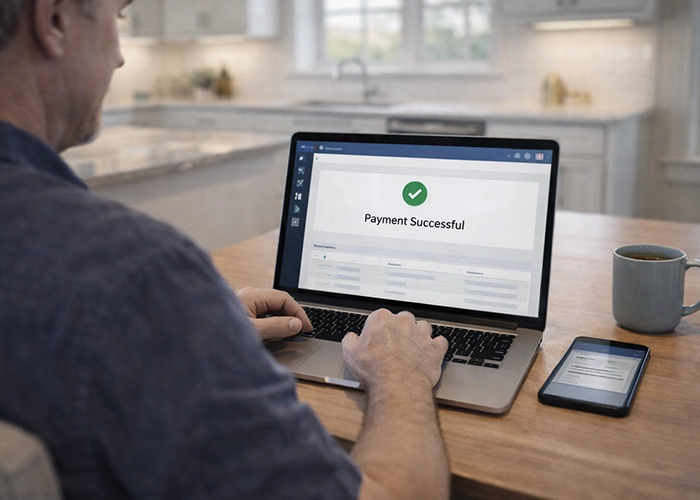
An HOA owner portal allows residents to submit payments online. Homeowners can quickly pay their dues through secure payment systems, which reduces delays and simplifies recordkeeping.

Many portals also allow residents to set up automatic payments. This helps prevent missed deadlines and reduces the number of late fees homeowners may face.

For board members and managers, online payments improve financial tracking. Payment records remain organized within the system, making it easier to review account histories and maintain accurate financial reports.

Submitting Maintenance Requests Through the Portal

HOA management software

Maintenance concerns are a normal part of any community. Whether it involves landscaping, lighting, or shared amenities, homeowners often need a simple way to report issues.

An owner portal provides a convenient place for residents to submit maintenance requests. Instead of making phone calls or sending multiple emails, homeowners can fill out a request form and attach photos when needed.

Once the request is submitted, it can be tracked through the portal. Residents may receive updates as the issue moves through the review and repair process.

This approach improves efficiency for both homeowners and property managers. Requests remain organized, and nothing gets lost in long email threads.

Architectural Requests Become Simpler to Manage

Many associations require approval before homeowners can make certain exterior changes to their property. These requests might involve new landscaping, fencing, exterior paint colors, or home additions.

Traditionally, homeowners submitted these applications using paper forms. That process often caused delays because documents had to be manually reviewed and filed.

An HOA owner portal streamlines the architectural request process. Homeowners can submit applications online and attach supporting documents such as photos or plans.

Board members or architectural committees can then review the request within the system. Decisions can be recorded directly in the portal, and homeowners receive updates when the review is complete.

This digital process helps ensure requests are organized, documented, and handled more efficiently.

Key Features Homeowners Often Find in an HOA Owner Portal
HOA management software

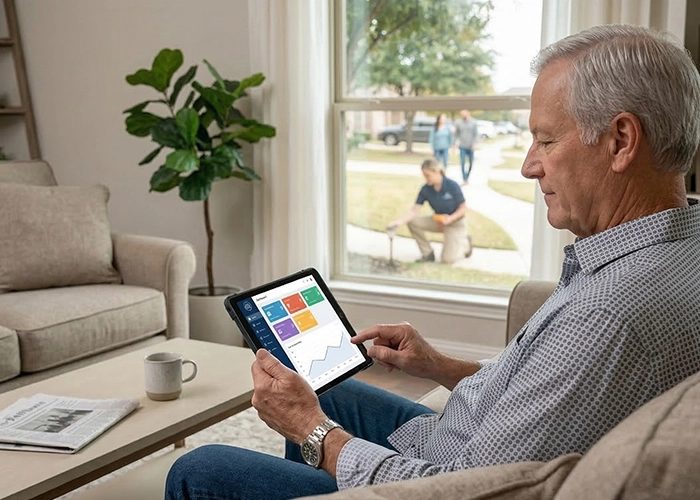
While different communities may use different platforms, most HOA owner portals include a core set of features designed to make community management easier.

Common features include:

  • Online HOA dues payments
  • Community announcements and notices
  • Access to governing documents
  • Maintenance request submissions
  • Architectural request forms
  • Account balance and payment history
  • Event calendars and meeting updates

These features help centralize many routine HOA interactions. Instead of using several different systems, homeowners can manage everything from one login.

For busy homeowners, that level of convenience can make a big difference in how they experience community living.

Transparency and Trust Within the Community

Transparency is one of the most important factors in maintaining a healthy homeowners association. Residents want to understand how decisions are made and how association funds are used.

An HOA owner portal can support this transparency by providing access to important information. Financial summaries, meeting minutes, and policy updates can be shared with residents in a structured way.

When homeowners feel informed, they are more likely to trust the decisions made by the board. Clear communication helps prevent rumors and misunderstandings that sometimes occur in community associations.

This level of openness also encourages more positive participation from homeowners. Residents feel more comfortable asking questions and staying involved when information is easy to access.

Why Many Communities Are Moving Toward Digital Portals
HOA management software

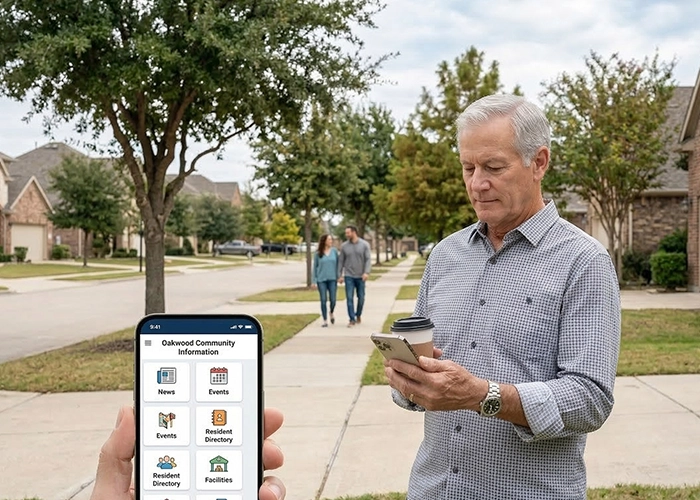
Technology has changed the way communities operate. Many homeowners expect the same level of digital convenience they experience with banking, shopping, and other everyday services.

An HOA owner portal meets those expectations by providing a centralized online platform for community management. Instead of relying on outdated processes, associations can manage operations more efficiently.

Digital portals also reduce administrative work for property managers. Tasks such as tracking payments, sharing documents, and responding to requests can all be handled within one system.

Over time, these efficiencies help communities operate more smoothly. Board members spend less time handling routine administrative tasks and more time focusing on long-term planning for the community.

Best Practices for Encouraging Portal Adoption

Even the most helpful technology works best when residents actively use it. Some homeowners may need encouragement or guidance before they begin using a new portal system.

Communities can increase participation by clearly explaining the benefits and making the portal easy to access.

Helpful strategies include:

  • Sending welcome emails with portal login instructions
  • Offering simple tutorials or walkthroughs
  • Highlighting convenient features like online payments
  • Posting reminders in community newsletters
  • Providing support for residents who need assistance

When homeowners understand how the portal helps them, adoption tends to grow naturally. Over time, the portal becomes an essential part of daily community operations.

A Better Way for Homeowners to Stay Connected
HOA management software

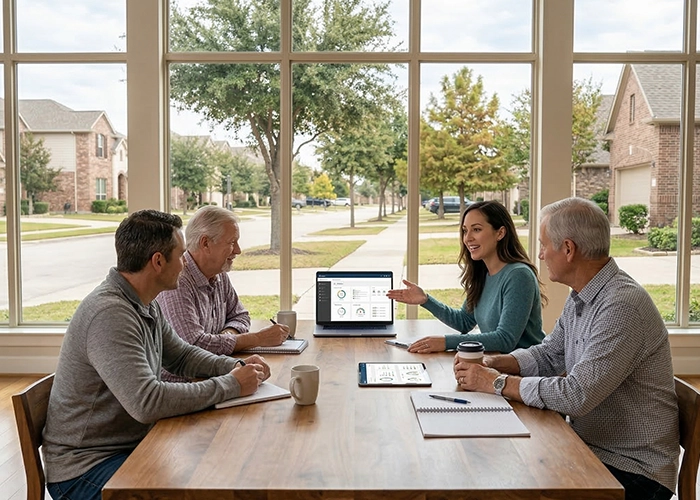
An HOA owner portal does more than simplify administrative tasks. It also strengthens the connection between homeowners, boards, and management teams.

Residents can stay informed about community updates, pay their dues with ease, and submit requests without unnecessary delays. Boards gain clearer communication channels and more organized systems for managing community operations.

As more associations adopt digital tools, the owner portal is becoming a central part of modern HOA management.

Bringing Communities Together With Technology

A well-managed HOA owner portal can transform how a community communicates and operates. By providing convenient access to information, payments, and requests, the portal makes everyday HOA interactions easier for homeowners and board members alike. When technology supports transparency and efficiency, the entire community benefits.

A modern HOA owner portal can help homeowners access information, make payments, and communicate with management effortlessly. Have a question? Call us at 760-325-9500 or Contact us to learn how your association can benefit from smarter HOA management solutions.


Related Articles
Must-Have HOA Website Features to Improve Your Community

Choosing the right digital tools is a major part of running a modern community. A well-designed platform serves as the digital front door for residents and the board.

Elevating Your Community with Essential HOA Website Features

For homeowners associations, having a strong web presence is no longer an extravagance. By centralizing information and facilitating communication, the proper HOA website features can completely change the way a neighborhood operates. Both management teams and volunteers have less work to do when a portal is simple to use.

Streamlining Communication through Resident Portals

Streamlining Communication through Resident Portals

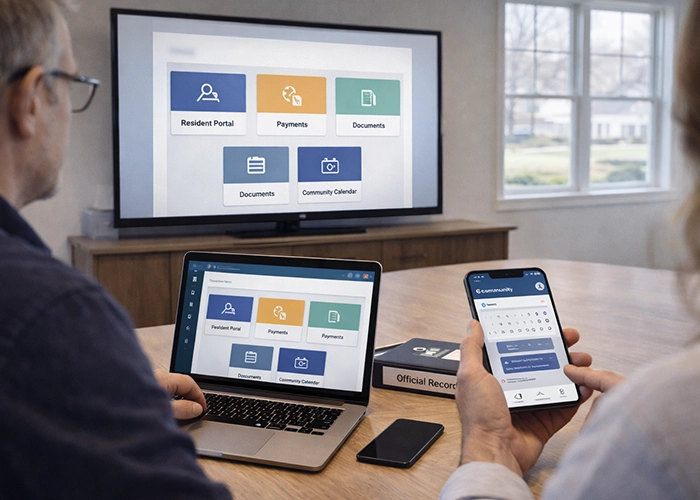
People in the modern world expect information to be readily available to them, and life moves quickly. Owners can access confidential documents without calling the office thanks to a secure login area. Because everyone in the community is aware of where to find the most recent updates, this transparency fosters trust.

Another excellent method of informing people is through digital bulletin boards. You can post news instantly rather than using paper flyers that could be misplaced in the mail. This guarantees that every household receives time-sensitive alerts in a matter of seconds.

These portals also allow newsletters to be archived for later use. When a new owner takes over, they can look through the neighborhood’s digital history to learn about previous events. This easy-to-use feature makes it much quicker for new residents to feel at home.

Simplifying Dues and Online Payment Options

Simplifying Dues and Online Payment Options

For any board, gathering assessments is one of the more tiresome duties. The hassle of writing checks and mailing envelopes is eliminated by offering a safe online payment option. Homeowners can also rest easy knowing that their payment was received right away.

Automated reminders alert residents prior to a deadline, which helps maintain low delinquency rates. These systems can be configured to send a cordial email or text message. This proactive approach comes across as more of a beneficial service than a demand.

Owners have full transparency of monthly rent income when they can review their own ledger at any time. They can know precisely what they owe and when their last payment was credited. Management then does not have to take a number of billing inquiries and negotiations.

Centralizing Governing Documents and Forms

Centralizing Governing Documents and Forms

Every HOA generates a mountain of paper work that must be made available to the public or members. It’s crucial to maintain CC&Rs, bylaws, and meeting minutes in one place. It saves the board from constantly re-sending the same PDF files.

Managing architectural review forms and applications is so much easier when they’re submitted through a website. Residents are able to upload images and descriptions of their project requests and keep track of what sort of action the city is taking on such complaints. This makes the approval process seem fair, and it seems organized to all parties concerned.

Maintenance request forms also benefit from a digital paper trail. If a homeowner reports a broken sprinkler or flickering streetlamp, they can tell when the work order is made. Such visibility indicates that the association is “tending” to the property.

Enhancing Engagement with a Community Calendar

Enhancing Engagement with a Community Calendar

A shared calendar serves as the central organizing tool for any neighborhood community. It displays all upcoming activities including board meetings and seasonal events like pool parties & garage sales. When everyone uses the same calendar it eliminates scheduling problems and helps more people show up to neighborhood gatherings.

Amenity reservations are another feature that keeps life running smoothly. When your neighborhood has shared spaces like a clubhouse or tennis court, digital reservations solve common problems. These systems replace outdated physical sign-up sheets and stop scheduling conflicts before they happen.

Board members can use the calendar to track important vendor deadlines. This feature helps monitor when the landscaping contract needs renewal or when the pool requires its annual inspection. Keeping track of these dates prevents anything from being overlooked. The calendar system allows board members to stay organized with vendor schedules. They can record contract expiration dates and required inspection times. This approach ensures all necessary tasks receive attention before they become urgent matters.

Modernizing Governance with Electronic Voting

Modernizing Governance with Electronic Voting

Getting enough people to attend an annual meeting can be difficult for many associations. Electronic voting systems let members submit their votes from home. This easy access typically results in more people taking part in elections.

Polling tools work well when you need fast feedback about minor decisions. When the board thinks about painting the clubhouse a different color they can send out a quick survey to see what residents think. This approach helps people feel included without organizing a full community meeting.

Secure voting platforms make sure that results are correct and can be checked later. This keeps the election honest and makes disputes less likely. When the voting process works smoothly and treats everyone fairly residents tend to stay involved with the board.

Optimizing the User Experience for All Devices

A website is only useful if people can actually navigate it on their phones. Many residents will check for updates while they are on the go. Ensuring the site is mobile-friendly is a non-negotiable requirement in today’s world.

A clean layout is important, but so are quick loading times. People will simply stop using a page if it takes too long to open. Both younger and older generations can easily find what they need thanks to a straightforward design with obvious buttons.

Any community platform must prioritize security as well. It is both morally and legally required to protect homeowners’ personal information. The digital neighborhood is kept secure by using strong password policies and encrypted connections.

Take the Next Step Toward a Smarter HOA

Creating a digital home for your association is a worthwhile endeavor that will eventually pay off. With the correct tools, managing daily tasks doesn’t feel like a chore. A more harmonious living environment is produced by concentrating on the needs of the inhabitants.

As your community grows, your website can evolve to meet new challenges. Starting with the basics and adding features over time is a smart way to manage the budget. A well-maintained site is a sign of a healthy and professional homeowners association.

Is your association ready to upgrade its digital tools? Our team can guide you through selecting the best features for your specific needs. Contact Personalized Property Management to learn how we can support your community’s goals.


Related Articles:

HOA Website Cost: Is It Worth Spending The Budget On?

A good community website is no longer optional. Homeowners expect quick access to documents, dues, and updates on their phones. The real question is whether the HOA website cost matches the value your Southern California community needs. 

Benefits of an HOA Website

It helps to start with the “why” before digging into the “how much.” A well-planned website turns everyday HOA tasks into quick, self-service actions for homeowners and clean, trackable workflows for the board.

  • Reduce call and email volume by placing forms, payment links, meeting dates, and FAQs up front.
  • Speed up approvals and record-keeping with online submissions for architectural requests, violations, and amenities.
  • Improve compliance by centralizing notices, policy updates, and archives in one location.
  • Build trust with transparent budgets, minutes, and board updates that owners can find anytime.
  • Strengthen emergency communication with a single source for wildfire, high-wind, or power-shutoff updates.
  • Support accessibility needs by aligning with recognized standards so all residents can use the site comfortably.

What Affects HOA Website Cost

Before comparing vendors, it’s helpful to understand what drives HOA website costs up or down. Clarifying these levers early avoids surprises later and lets you set a realistic budget.

  • Build approach: choose between an all-in-one association system that includes a website or portal, a generic site builder, or a custom site built on a content management system by an agency.
  • Design scope: a standard template with light branding tends to be cheaper than fully custom layouts and page types.
  • Feature set: payments, architectural requests, violation tracking, amenities reservations, event calendars, mass email, and two-way messaging add value and effort.
  • Compliance and accessibility: posting disclosures if you designate the site for member communications, and meeting common accessibility standards such as WCAG 2.1 Level AA.
  • Security and privacy: SSL, backups, role-based access, and audit trails reduce risk but require setup and oversight.
  • Content effort: migrating documents, creating pages, and training admins can be time-intensive.
  • Support and maintenance: software updates, plugin renewals, bug fixes, and content refreshes carry ongoing costs.
  • Traffic and scale: more storage or heavier usage can push hosting or subscription tiers higher.

The Cost to Build a Website

Costs vary with scope and approach, but a few ranges help frame the conversation. Consider what you need now and what you may add in the next year to avoid under- or over-buying.

A basic, purpose-built HOA site can cost a few hundred dollars per year. Generic builders or custom sites can range from a few hundred per year for hosting up to several thousand for design, depending on the level of customization. Hosting and apps for typical small sites often fall between $15 and $150 per month, with expansive room above that for larger builds or more demanding features.

Build Approaches Compared (Pros and Cons)

No single approach fits every community. The right path depends on several factors, including headcount, administrative capacity, and the desired level of design flexibility.

Association-Focused Platforms

These systems focus on HOA needs and are packaged at a simple recurring price. Core features often include pages, a document library, member logins, and optional online payments. They are quick to launch and easier for volunteers to manage, though design choices are more opinionated.

All-in-One Suite

Websites or portals sit alongside assessments, architectural workflows, announcements, reservations, and document management. Pricing is commonly quote-based and tied to unit count and modules. The upside is fewer moving parts to integrate. The tradeoff is less freedom to redesign the front end.

Generic Site Builders or Content Management Systems

This route offers more design control and extensibility. Subscriptions and hosting vary by plan and add-ons. You may need third-party tools for forms, payments, and member-only areas. It can be an excellent fit for communities that want a distinct look and have support for ongoing maintenance.

How Much to Make an HOA Website vs. Maintainance

using a calculator | hoa website cost

Budgeting well means separating one-time build work from ongoing care. Identify who will handle each piece so costs map to responsibilities.

One-time build items include domain setup, site structure, branding and layout adjustments, content migration, and admin training. If you choose a custom path, costs may consist of agency or freelancer time.

Ongoing maintenance includes hosting or software subscriptions, SSL, backups, security checks, routine updates, and content updates for minutes, newsletters, policy changes, and calendars. Some communities add a small support retainer.

Maintenance costs vary because sites vary. Expect monthly spends from the low tens for simple sites to many hundreds for larger, custom builds with support. Basic hosting after promotional terms often lands in the $10 to $20 per month range, while broader maintenance services can range from tens to hundreds per month, depending on complexity.

Software and Website: How They Work Together

Many association software platforms include a website or portal builder along with native modules. This creates a single system for payments, architectural submissions, reservations, and notices that ties each action to a member record. The benefit is fewer double entries and fewer errors. If you choose a builder or content management system, you can still connect forms and payments, but you will rely more on third-party apps or custom integrations.

Features Worth Paying For

Not every feature earns its keep on day one. Focus on tools that solve weekly problems and elevate the quality of records.

  • Emergency banners and alert pages for local weather or safety events.
  • Online payments with recurring options and board-level reporting.
  • Architectural review workflows with digital submissions, status tracking, and notifications.
  • Reservation tools for pool, clubhouse, or courts with clear rules and time slots.
  • A member-only document library for CC&Rs, rules, budgets, and policy statements.
  • Notice and disclosure pages if you designate the website for official communications in your Annual Policy Statement.
  • Accessibility is aligned to WCAG 2.1 Level AA to support residents who use assistive technology.

Compliance in California

If you plan to use the website for official communications, your processes must be clear. A little structure goes a long way and keeps the board aligned.

Document in your Annual Policy Statement that the website is a notice location. Also, remember to place agendas and minutes on a predictable cadence so homeowners know where to check. Keep financials in a member-only library with basic access controls. 

Additionally, make sure board rosters and contact channels are current. For records retention, define how long to keep agendas, minutes, architectural decisions, violation notices, and financial documents, and specify who is responsible for publishing and archiving them.

Security, Privacy, and Access

Web security is less about expensive tools and more about consistent habits. Set a few non-negotiables and review them quarterly.

To keep things secure, assign role-based permissions with the least access needed to perform each task. Turn on multi-factor authentication for all administrators. Schedule automated backups and test a restore at least twice a year. 

As best practice, keep a short incident response checklist so you know who does what if an account is compromised. For payments and forms, confirm that data is encrypted in transit and at rest, note where it is stored, and limit who can export it.

Content Plan and Admin Workflow

Websites thrive on predictable updates, not heroic efforts. A light plan makes it easy for new volunteers to step in without losing momentum.

Start with a practical core. Public pages typically include community information, amenities, a calendar, contact channels, key policies, and instructions on how to request documents. 

Member-only areas usually show CC&Rs and rules, budgets, minutes, forms, architectural status, violation responses, and payment links. Set a quarterly content calendar that lists what will be updated and by whom. Short, regular posts keep the site fresh without exhausting administrators.

Budgeting and Procurement

showing a laptop | hoa website cost

You can stay within your HOA budget without cutting corners by buying only what you will actually use. Precise requirements often reduce scope creep.

First, you can write a simple list of must-haves, nice-to-haves, and future items. Ask vendors to price those groups separately so trade-offs are visible. You can choose plans that allow you to add modules later without penalties.

You also need to compare the total cost of ownership over two to three years, including payment processing, storage tiers, and support. Select annual billing only if it clearly reduces the total cost and doesn’t lock you into unnecessary features.

Avoiding Hidden Costs

Surprises usually come from items that were never discussed. Surfacing a few questions early helps keep the budget intact.

Clarify who pays for backups, updates, and plugin renewals. Ask for payment processing fees in writing, including per-transaction amounts and any minimums. If any custom code is part of the build, request documentation and a support plan.

Confirm your accessibility approach. Aligning to WCAG 2.1 Level AA from the start is usually cheaper than retrofitting later. Finally, check for data export fees so you are not boxed in if you switch platforms.

Accessibility and Inclusive Design

Accessibility is about fairness and practicality. When more people can use the site, fewer tasks fall back to manual emails and calls.

For this, you need to aim for WCAG 2.1 Level AA. Choose readable fonts and sufficient color contrast. Provide descriptive alt text for images. For forms, ensure they have straightforward and understandable labels and error messages. Make interactive elements reachable with a keyboard, like test pages with a screen reader, and on a mobile device. Add captions to videos and avoid posting scanned documents that readers cannot search.

Modern Solutions

When the site is tied to real tasks your owners and board handle every week, the payoff shows up in faster responses, fewer emails, and cleaner records. Pick the build path that matches your community’s size and capacity, keep maintenance simple, and measure results so the budget conversation stays grounded in facts. With a clear plan, your HOA website cost will feel like money well spent.

Related Articles: